Status website
nb web serves a small, read-only status website for glancing at backup health
from a browser or phone — the same information as nb run, nb medium,
nb report, and nb status, without shell access.
- What it is
- Read-only by design
- Pages
- The attention-needed rollup
- Prometheus metrics (
/metrics) - Security
- Running it always-on
- Copy-deploy reloads (
--reload)
What it is
nb web starts a small HTTP server that renders NBackup’s catalog, run history,
and live progress as a mobile-friendly website. It is the browser view of the
inspection commands you already know — an at-a-glance dashboard for when you don’t
have a shell.
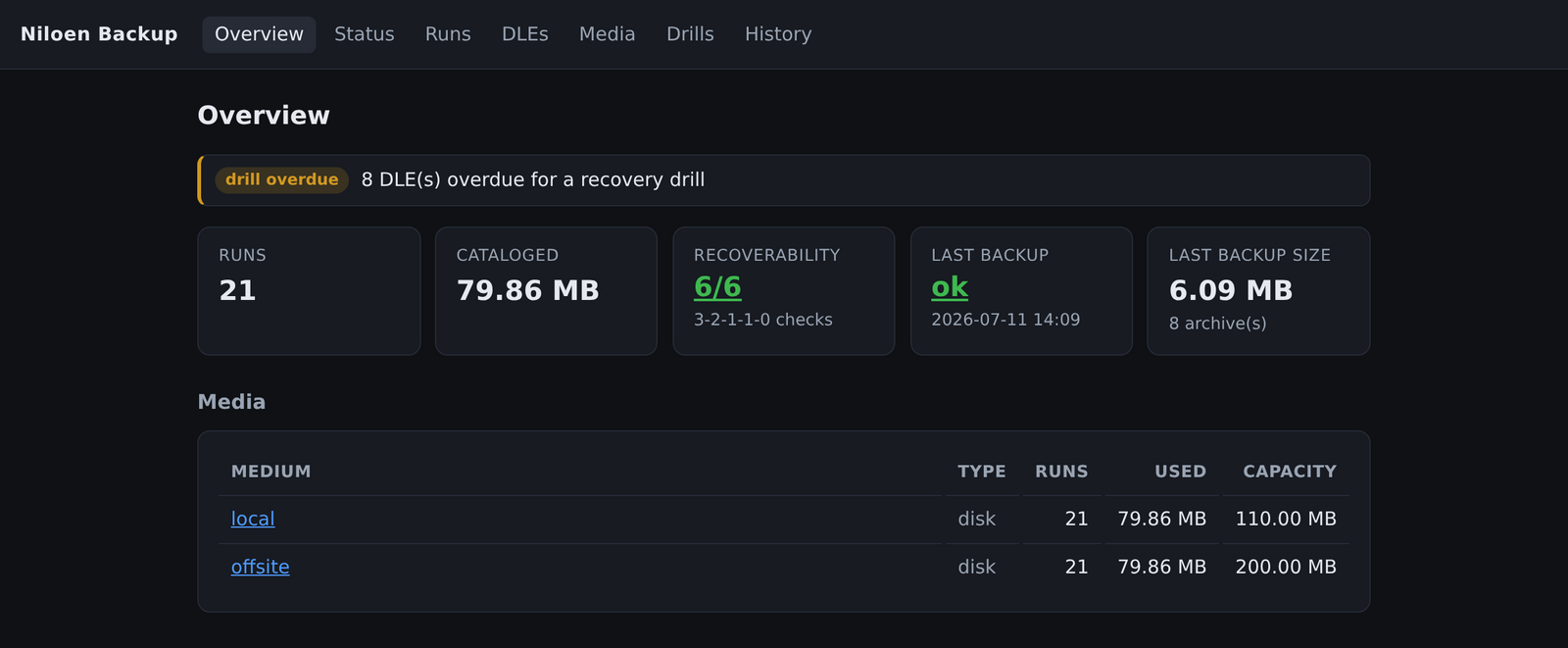
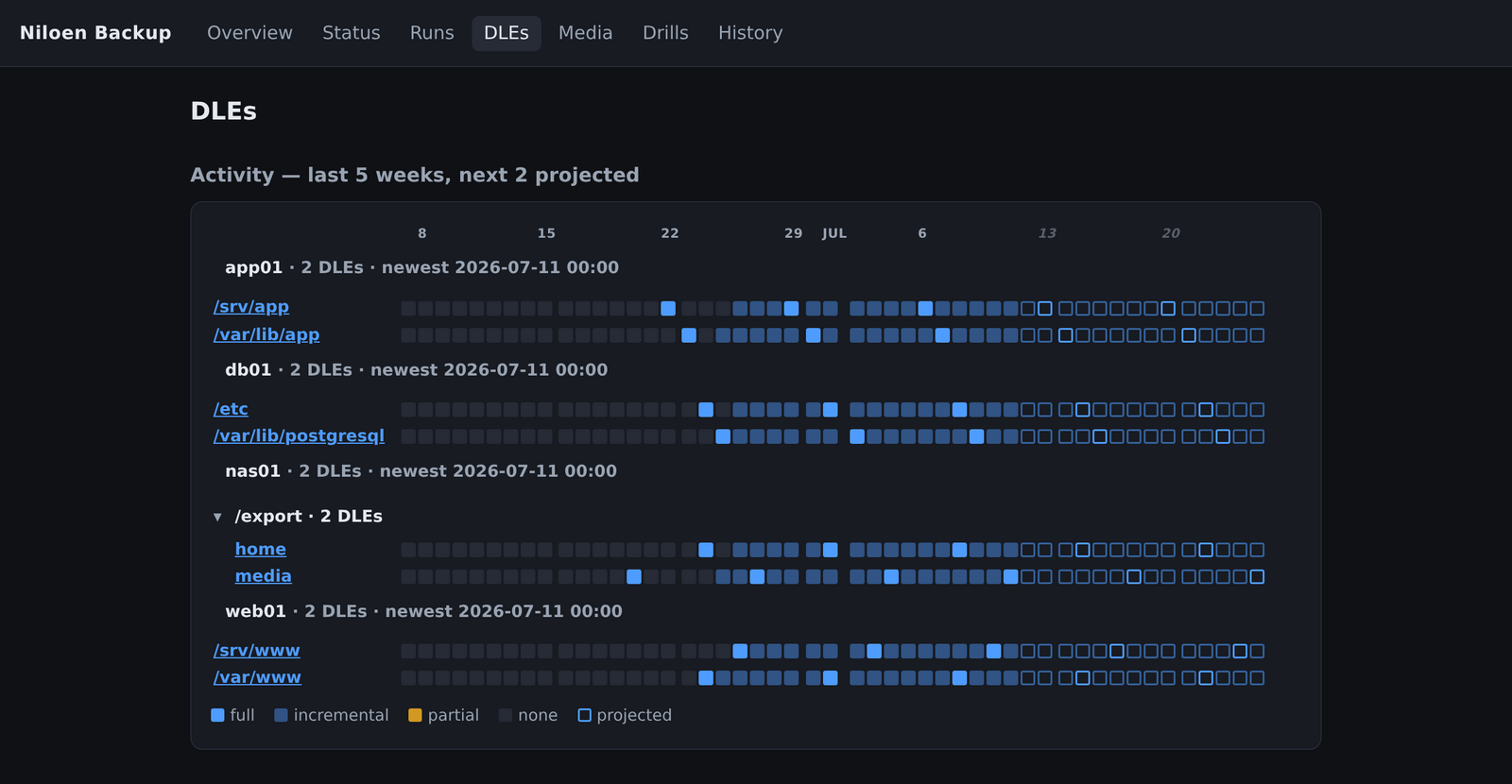
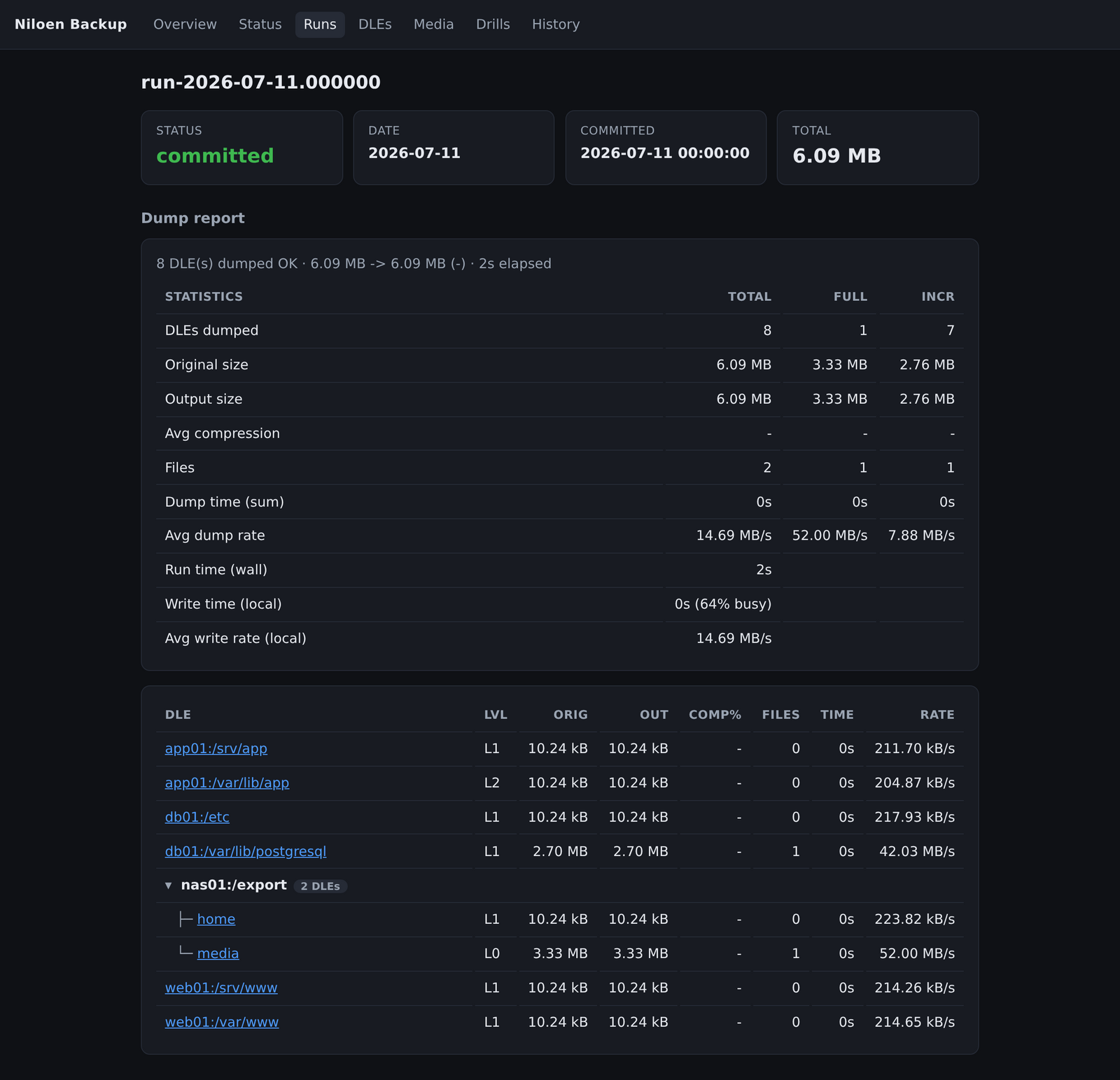
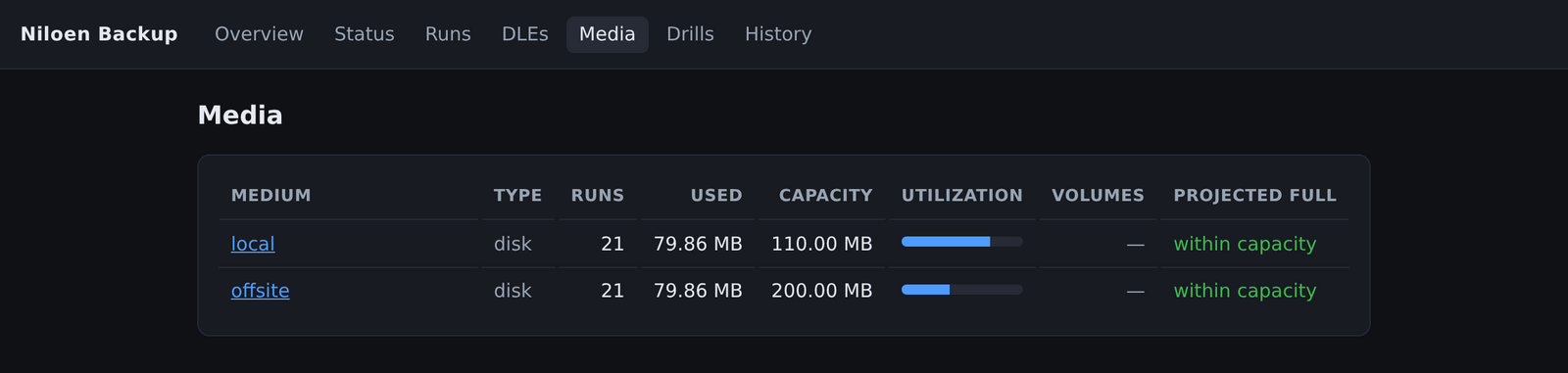
The page tour below is illustrated with the DLE heatmap, run detail, media capacity, and drills views:
 |
 |
|---|---|
| DLEs — recovery-point heatmap + trends | Run detail — dump report + placement matrix |
 |
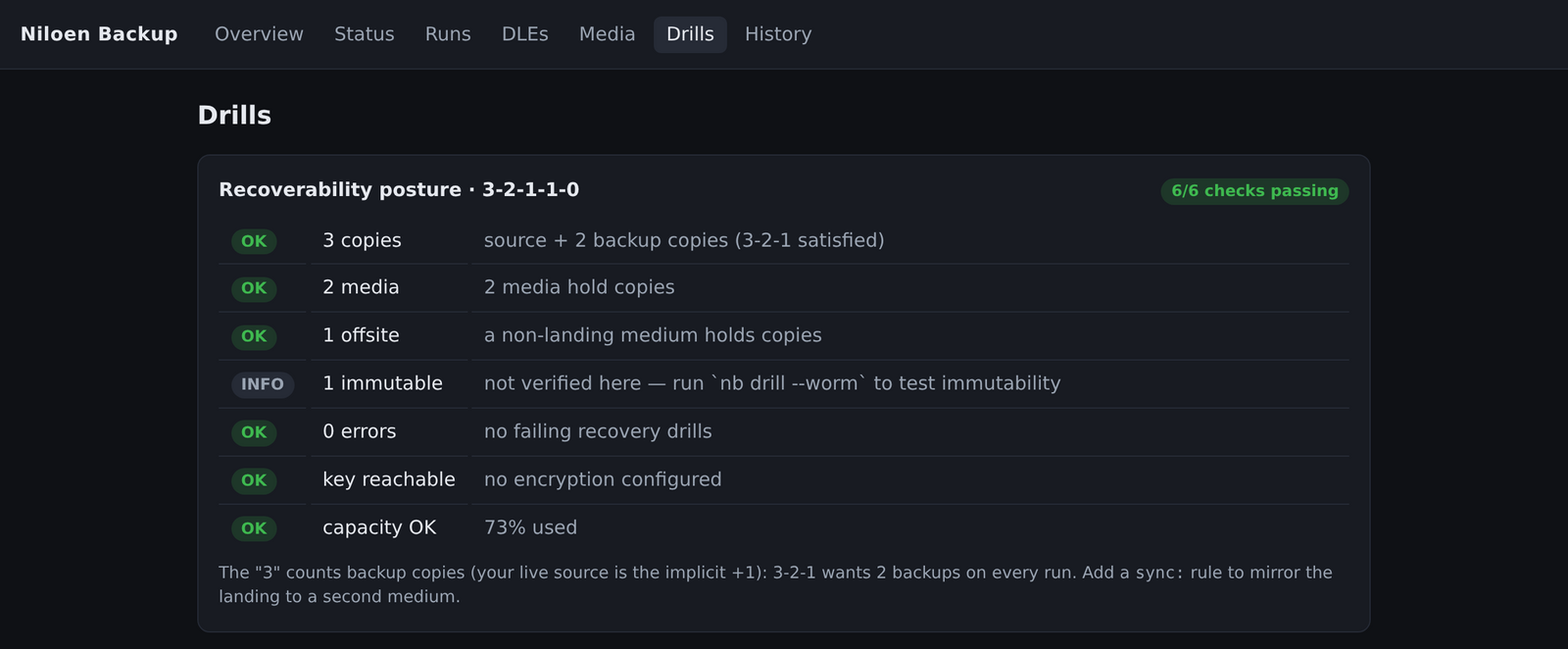 |
| Media — utilization + projected-full | Drills — 3-2-1-1-0 posture audit |
nb web                       # serve on :8080 (reachable on the LAN)
nb web --addr 127.0.0.1:8080 # loopback only, e.g. behind a reverse proxy / VPN
--addr sets the listen address (default :8080, i.e. 0.0.0.0:8080). Binding
happens up front, so a port already in use is reported immediately rather than
swallowed.
Read-only by design
The website never starts, prunes, relabels, or alters anything, and takes no
lock, so it is safe to run continuously alongside a scheduled nb dump,
nb sync, or nb prune. This is structural, not a promise: the server renders
from a read-only view of the engine that exposes only reads, so no HTTP route has a
verb reachable to mutate the catalog or touch a medium. Every route is a plain
GET. It is a status page, not a management console.
Because it is only a reader, it also stays current without a restart: the
writing commands run in their own processes and rewrite the catalog cache, and
nb web re-reads that cache (and the run-history and live-progress files) when it
changes on disk, so the browser always sees the latest state.
Pages
| Page | What it shows |
|---|---|
Overview (/) |
An attention-needed rollup at the top (see below), then run count, total bytes, media summary, the last dump, and a banner while a run is in flight (auto-refreshing). |
Runs (/runs, /runs/<id>) |
Every run newest-first with its copies; a run detail lists its archives and each copy’s medium/label. |
DLEs (/dles, /dles/<slug>) |
One row per backup source, and a per-DLE archive timeline across runs. |
Media (/media, /media/<name>) |
Capacity utilization per medium; a medium detail adds the full/incremental split, a growth projection, and a used-capacity-over-time chart — the browser view of nb medium <name>. |
Drills (/drills) |
The recovery-drill coverage rollup and per-DLE ledger (what each DLE’s last drill tested, against which copy, how much it read, pass/fail), plus recent drill runs. |
History (/report) |
The recent run history — the browser view of nb report. |
Status (/status) |
The live run’s progress, auto-refreshing while a run is running. |
The attention-needed rollup
The overview leads with a rollup of everything that needs a look, so the page is glanceable-all-green — when nothing is wrong it collapses to a single quiet “all clear” line. Each alert is a row linking straight to the detail page for the problem:
- failed — the most recent run of a command that ended in failure (last dump failed, last sync failed), linking to that run (or the history).
- drill failing — a DLE whose most recent recovery drill failed, and a drill overdue count for DLEs never drilled or past the drill window (the same coverage the Drills page computes).
- stale — a DLE overdue against one dump cycle (never backed up, or older than the cycle).
- over capacity — a bounded medium whose used bytes have reached its capacity.
Red rows (a failure) sort above amber ones (a warning).
Prometheus metrics (/metrics)
nb web also serves a /metrics endpoint in the Prometheus text exposition
format (text/plain; version=0.0.4) on the same port — point-in-time gauges read
from the catalog on each scrape (no daemon, no registry, no extra dependency). See
Monitoring → Prometheus metrics for the
metric list and a scrape_config snippet.
Security
There is no authentication and no TLS. Expose it only on a trusted network —
or bind it to 127.0.0.1 and front it with a reverse proxy or a VPN (e.g.
Tailscale) for remote access.
Running it always-on
nb web runs in the foreground until you stop it (Ctrl-C). To keep the dashboard
always-on, the .deb/.rpm packages ship an optional nb-web.service; enable it
with:
systemctl enable --now nb-web
Backups themselves stay on cron — the service only serves the status pages.
Copy-deploy reloads (--reload)
--reload is a development convenience: the server watches its own executable and
re-execs itself when the binary is replaced on disk, so you can iterate by copying
a fresh nb over the old one. Use an atomic replace (install nb DEST, or
cp nb DEST.new && mv DEST.new DEST) — not an in-place cp, which the kernel
refuses with “text file busy” while the binary is running. It is off by default;
leave it off in production.